
Airplane Simulator
More Games Like This
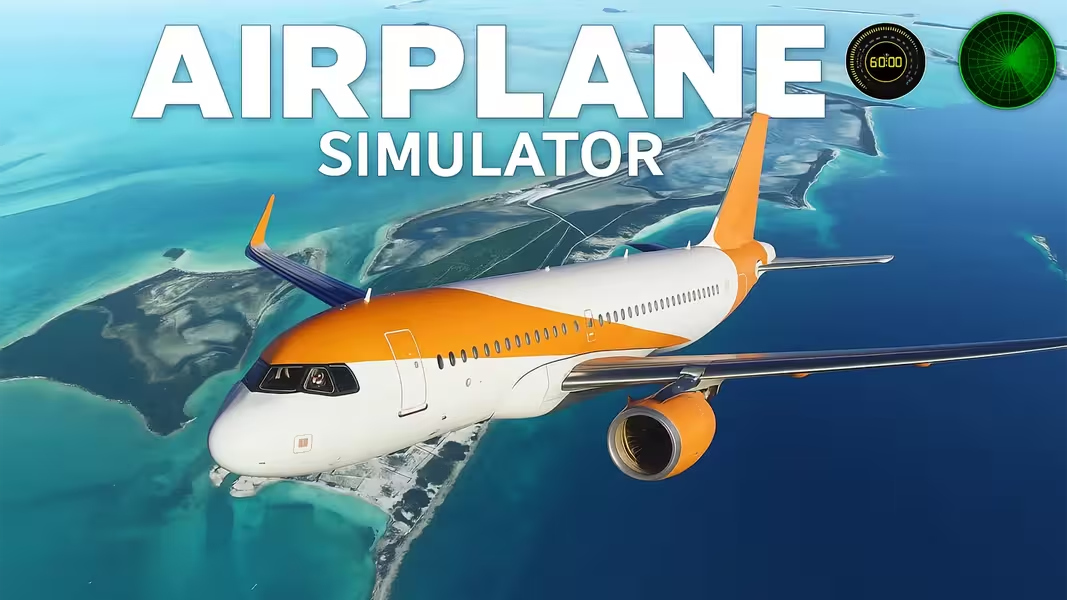
Play Airplane Simulator online for free and take your seat in the cockpit of a powerful aircraft! This is your chance to earn your wings and experience the unparalleled freedom of flight. From the roar of the engines and the rush of the runway to the serene beauty of soaring above the clouds, this ultra-realistic flying game puts you in full control.
This isn't just a game; it's a true simulator. You will learn the intricate controls behind piloting a variety of airplanes and even a challenging helicopter. Your mission is to master the art of takeoff, the grace of flight, and the immense challenge of landing. With a huge world to explore and a fleet of different aircraft to command, this is the ultimate experience for aspiring aviators. Are you ready to defy gravity and conquer the skies? Your plane is waiting on the tarmac!
Table of Contents
- About
- Key Features
- How to Play
- System Requirements
- Gameplay Deep Dive: The Ultimate Pilot's Handbook
- The Hangar: A Look at Your Aircraft Fleet
- Exploring the World: Your Flight Environment
- Pro Tips and Advanced Maneuvers
- Platform and Availability: A Desktop Simulation
- Airplane Simulator Unblocked: Play Free Online Anywhere
- A Warning About Hacked Versions
- Is Airplane Simulator Safe for Kids and Families?
- Similar Games for Fans of Driving and Simulation
- Gameplay Video
- Frequently Asked Questions
How to Play
The cockpit can look intimidating, but getting your plane in the air can be done in a few simple steps. This guide will get you airborne in under a minute!
- Start Your Engine: Press and hold the E key. You'll hear the engine sputter to life and see your propeller start to spin.
- Increase Throttle: Press and hold the 0 key. This is your accelerator. Your plane will begin to move forward down the runway, picking up speed.
- Achieve Liftoff Speed: Keep the throttle down and watch your speed increase. Once you're going fast enough (around 40 knots for a small plane), it's time to fly.
- Take Off!: Gently press and hold the Down Arrow key. This pulls the nose of the plane up, and you will gracefully lift off the runway and into the sky.
Congratulations, you are now flying! Use the arrow keys to steer and enjoy the view. For a full breakdown of all the advanced controls, including how to land and how to fly the helicopter, dive into our deep-dive handbook below.
Gameplay Deep Dive: The Ultimate Pilot's Handbook
To go from a passenger to a pilot, you must understand the principles of flight and the tools at your disposal. This handbook will walk you through every phase of a successful flight.
Phase 1: The Pre-Flight Checklist - Before You Fly
A good pilot is always prepared. Before you even think about starting the engine, take a moment to get your bearings.
Choosing Your Aircraft
The game offers a variety of aircraft, each with its own unique handling characteristics. For your first flight, it is highly recommended to choose a small, slow, propeller-driven plane. These are much more forgiving and stable than the powerful jets or the incredibly complex helicopter.
Understanding Your Cockpit (HUD)
Your screen is filled with crucial information. While it may look complex, the most important instruments are easy to understand:
- Airspeed Indicator: This shows you how fast you are moving through the air. It's the most critical instrument for takeoff and landing.
- Altimeter: This tells you your altitude, or how high you are above the ground.
- Artificial Horizon: This is the central display that shows your plane's orientation relative to the horizon. It tells you if you are climbing, descending, or banking left or right. Keeping it level is key to stable flight.
- Compass: A simple navigation tool that shows you which direction you are heading (North, South, East, West).
Phase 2: The Art of the Takeoff (Airplanes)
Taking off is a precise procedure. Here is a more detailed breakdown of the process:
- Engine Start (E): Hold 'E' until you hear the engine running smoothly.
- Set Flaps (F key - assumed): In a real plane, you'd lower your flaps to increase lift at low speeds. Press 'F' once to set your flaps for takeoff.
- Gentle Throttle (0 key): Do not slam the throttle to 100% immediately. Gently increase your power with the '0' key. This allows for a more stable acceleration down the runway.
- Maintain Centerline: Use small taps of your rudder controls (A/D keys - assumed) to keep your plane straight down the middle of the runway as you accelerate.
- Rotation: Watch your airspeed indicator. Once it reaches "rotation" speed (around 40 knots for a small plane, higher for a jet), gently pull back on the stick by holding the Down Arrow key. Do not yank it back! A smooth, gentle pull will lift the nose, and the plane will naturally rise into the air.
- Positive Rate of Climb: Once you are airborne and climbing, raise your landing gear by pressing the G key (assumed) to reduce drag, and raise your flaps ('F' key) to increase speed.
Phase 3: Mastering the Skies (Airplane Flight Controls)
Once you are in the air, you have several controls to master for smooth and efficient flight.
- Pitch (Up/Down Arrow Keys): These control the elevators on the tail of your plane. Pressing Up Arrow pushes the nose down, causing you to descend. Pressing Down Arrow pulls the nose up, causing you to climb.
- Roll (Left/Right Arrow Keys): These control the ailerons on the wings. Pressing Left Arrow or Right Arrow will cause your plane to bank or roll in that direction. This is the primary way you initiate a turn. To make a smooth turn, you must bank the aircraft and then gently pull up on the stick (Down Arrow).
- Throttle (0/9 Keys - assumed): Your throttle is not just an accelerator; it's an energy control. Use the 0 key to increase power and the 9 key to decrease it. To maintain a level altitude, you need to find the right balance of pitch and throttle.
Phase 4: The Ultimate Challenge - A Perfect Landing
They say any takeoff is optional, but every landing is mandatory. This is the most difficult and most rewarding skill to learn.
- The Approach: Line your aircraft up with the runway from a long distance out. You cannot make sharp turns close to the ground.
- Reduce Speed: Slowly decrease your throttle with the 9 key. Your goal is to be slow, but not so slow that you stall and fall out of the sky.
- Deploy Flaps and Gear: Press the F key to lower your flaps. This creates more lift at low speeds, making your plane more stable. Crucially, press the G key to lower your landing gear!
- Maintain a Glide Slope: Your goal is a gentle, stable descent. Use very small adjustments of your pitch (arrow keys) and throttle to stay on a straight path toward the start of the runway.
- The Flare: Just a few feet before you touch the ground, gently pull the nose of the plane up slightly (Down Arrow). This "flare" maneuver slows your descent and allows you to touch down on your rear wheels first.
- Touchdown and Rollout: Once your wheels are on the ground, immediately cut your throttle to zero (hold 9 key) and use your brakes (B key - assumed) to slow down. Use your rudder to stay on the centerline of the runway until you come to a complete stop.
Phase 5: Helicopter Flight - A Completely Different Beast
The helicopter is the most challenging aircraft to master because it is inherently unstable. It requires constant, small adjustments to every control.
- Collective (Q/Z keys): This is your primary lift control. Pressing Q increases the pitch of the main rotor blades, generating more lift and causing you to go up. Pressing Z decreases lift, causing you to descend.
- Cyclic (Arrow Keys): This tilts the main rotor, allowing you to move horizontally. Up Arrow pitches the nose down and moves you forward. Down Arrow pitches the nose up and moves you backward. Left/Right Arrows bank you left and right.
- Anti-Torque Pedals / Tail Rotor (X key): This controls your yaw, or the direction the nose is pointing. Use X to rotate the helicopter left and right. This is essential for turning and for counteracting the natural torque of the main rotor.
The Challenge of the Hover
The ultimate test of a helicopter pilot is the stable hover. This requires you to make dozens of tiny, constant adjustments to all three control groups simultaneously. You'll need just enough collective to counteract gravity, constant tiny bumps of the cyclic to keep from drifting, and small inputs on the anti-torque pedals to keep the nose pointed straight. Mastering the hover is the first and most important step to mastering the helicopter.
The Hangar: A Look at Your Aircraft Fleet
The game provides a fantastic selection of 7 aircraft, giving you a chance to experience a wide range of flight characteristics.
- The Trainer Aircraft: A small, single-engine propeller plane. It's slow, stable, and very forgiving, making it the perfect choice for learning the absolute basics of takeoff and landing.
- The Aerobatic Plane: A lightweight, powerful prop plane designed for stunts. It's incredibly agile and responsive, allowing you to perform sharp turns, barrel rolls, and loops with ease.
- The Private Jet: A sleek and fast twin-engine jet. This plane climbs quickly and cruises at high altitudes, giving you a sense of speed and power. It requires longer runways for takeoff and landing.
- The Passenger Airliner: A large, heavy jet that is slow to respond but very stable once it's at cruising altitude. It presents a real challenge for takeoffs and landings due to its size and weight.
- The Cargo Plane: A massive, multi-engine transport plane. It is by far the slowest and least maneuverable aircraft, requiring you to think far ahead when making turns or beginning your landing approach.
- The Fighter Jet: The pinnacle of speed and agility. This aircraft can break the sound barrier, perform incredible high-G maneuvers, and climb almost vertically. It is thrilling to fly but also very easy to lose control of.
- The Utility Helicopter: The single rotary-wing aircraft in the game. It offers the unique ability to take off and land vertically and to hover in place, but it is by far the most difficult aircraft to master.
Exploring the World: Your Flight Environment
The game features one large, open-world map with a variety of interesting landmarks and three different starting locations, each offering a unique experience.
- The International Airport: This is your main hub, featuring long, wide runways, complex taxiways, and airport buildings. It's the ideal starting location for practicing with the larger jets that require a lot of space to get airborne and to land.
- The Island Airstrip: A much smaller, more challenging location. This short airstrip is surrounded by water on all sides. Taking off and, especially, landing here requires incredible precision and control. It's a great place to test your skills with the smaller propeller planes.
- The Mountain Helipad: Tucked away high in the mountains, this location is only accessible as a starting point for the helicopter. It offers breathtaking views and the unique challenge of navigating dangerous, mountainous terrain.
Pro Tips and Advanced Maneuvers
- Use Small, Gentle Inputs: The biggest mistake new pilots make is overcorrecting. Don't jam the arrow keys hard left or right. Use small, gentle taps and movements to guide the aircraft. Smoothness is key.
- How to Recover from a Stall: A stall occurs when you fly too slow or pull the nose up too high, and your wings stop generating lift. If this happens, don't panic! The correct procedure is to push the nose DOWN (Up Arrow key) to regain airspeed over the wings, and then gently pull up to recover to level flight.
- Performing a Barrel Roll: In an agile plane, you can perform a barrel roll by banking hard left or right (Left/Right Arrow) while also applying a bit of rudder in the same direction and managing your pitch to maintain altitude.
- Helicopter Hover Practice: When learning to hover, focus on one control at a time. First, use only the collective (Q/Z) to practice going straight up and down. Then, try to use only the cyclic to keep yourself from drifting while on the ground. Slowly start to combine these skills until you can achieve a stable hover a few feet off the ground.
Platform and Availability: A Desktop Simulation
You can experience this incredible and comprehensive flight simulation for free, with no downloads required, right here on our site.
Airplane Simulator Unblocked: Play Free Online Anywhere
Thanks to its browser-based nature, Airplane Simulator is an excellent "unblocked" game. It runs directly on a webpage using HTML5 (Unity WebGL) technology, allowing you to access it from school or work networks that might block downloadable game files. It's the perfect choice for a deeply engaging and educational break during your day.
A Warning About Hacked Versions
As a browser game, there are no official "MOD APK" or "hacked" versions of Airplane Simulator. Any website claiming to offer a downloadable version with cheats or all planes unlocked should be avoided, as these are not legitimate and could pose a security risk to your computer. The joy of a simulator comes from the challenge of mastering it, a satisfaction that cheats cannot provide.
Is Airplane Simulator Safe for Kids and Families?
Absolutely. Airplane Simulator is an exceptionally safe and beneficial game for all ages. It is a non-violent, educational simulation that teaches the basic principles of aviation in a fun and interactive way. It encourages patience, precision, and an understanding of physics, making it a fantastic "brain game" that is both entertaining and informative.
Similar Games for Fans of Driving and Simulation
If you love the thrill of controlling a powerful machine, be sure to check out these other fantastic titles:
- Fighter Aircraft Pilot: Test your piloting skills with cockpit views, takeoff and landing drills, and precision maneuvers.
- Aces of the Sky: Epic Dogfights: Another fantastic 3D aerial combat game that focuses more on classic dogfighting and epic boss battles against giant warships.
- Crazy Plane Landing: An arcade challenge where you battle turbulence, engine issues, and tight runways to nail the perfect landing.
- Jet Fighter Airplane Racing: High-traffic sky racing meets intense dogfights—dodge airliners, unleash missiles, and dominate the leaderboard.
Watch Airplane Simulator Gameplay – Play Online for Free
Play Airplane Simulator – Master the skies in a free, ultra-realistic browser flight sim featuring airplanes and a helicopter. directly in your browser with no download. Enjoy fast, free gameplay on any device!
Frequently Asked Questions
Can you play this flight simulator for free?
Yes, Airplane Simulator is a completely free-to-play game that you can enjoy right here on our site, directly in your web browser.
What are the basic controls to take off?
The basics are to hold E to start the engine, hold 0 to increase your throttle and accelerate down the runway, and then gently hold the Down Arrow key to pull the nose up and lift off the ground once you have enough speed.
How do you fly the helicopter?
Helicopter flight is more complex. You use the Q and Z keys to control your altitude (up and down), the arrow keys to move forward, backward, left, and right, and the X key to rotate or turn the helicopter.
What is the hardest part of flying in this simulator?
For airplanes, the most challenging part is landing smoothly, which requires precise control of your speed and altitude. For the helicopter, the hardest part is simply achieving a stable hover without drifting or spinning.
Can I play Airplane Simulator on my mobile phone?
No, this simulator is a desktop-only browser game due to the large number of keyboard controls required for a realistic flight experience.
Who developed this game?
Airplane Simulator was created by Faramel Games, a developer known for creating immersive simulation games.